
- Different Tools Built for Different Scales of Problem
- Industry Adoption: Where Each Tool Dominates
- Learning Curve: CATIA Is Significantly Steeper
- Parametric Modeling: Philosophical Differences
- Data Management: PDM vs. PLM
- Migration Between Tools
- Comparison Summary
- FAQ
- If You’re Building SolidWorks Fundamentals
Different Tools Built for Different Scales of Problem
CATIA and SolidWorks are both professional 3D CAD platforms, and both are developed under the same parent company. But they are not competing tools in the same market segment — they were built for fundamentally different scales of engineering problem. Understanding this distinction is the starting point for any meaningful comparison.
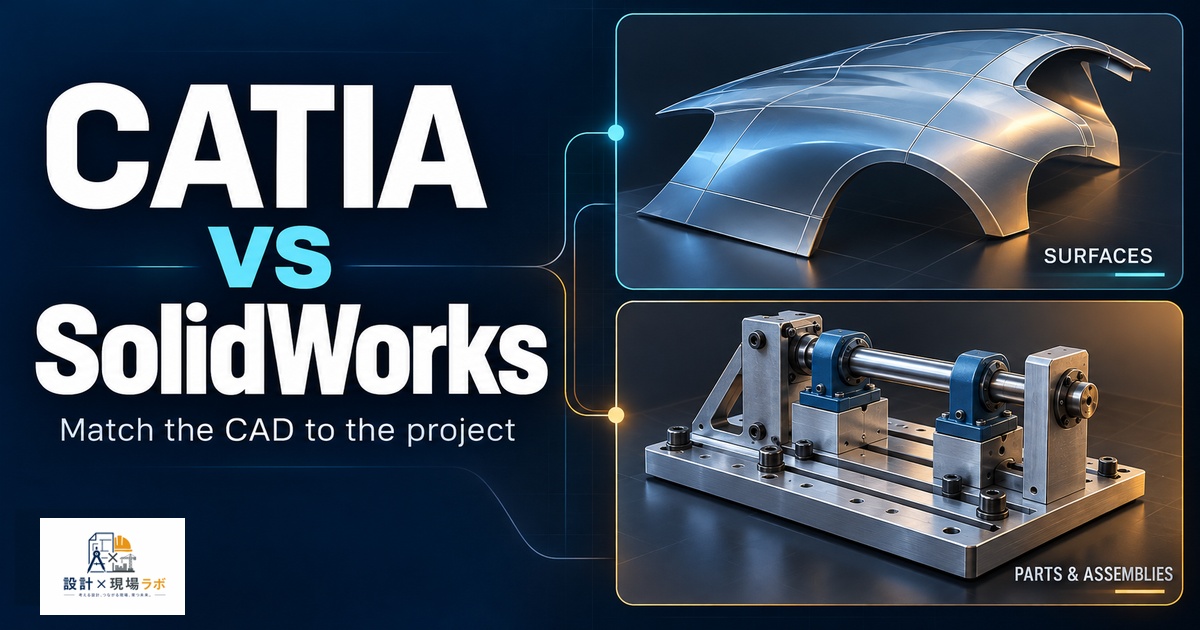
SolidWorks is designed for mechanical product design at the part, assembly, and drawing level. It is used by individual designers and small-to-medium engineering teams to develop products efficiently. CATIA, particularly in its V5 and V6 (3DEXPERIENCE) variants, is designed for large-scale complex product development programs — the kind that involve thousands of parts, dozens of engineering teams, multiple disciplines, and years of development. The complexity gap between the two tools reflects the complexity gap between the problems they were built to solve.
Industry Adoption: Where Each Tool Dominates
The clearest way to understand the difference is to look at where each tool is used. CATIA is the dominant CAD platform in commercial aerospace, defense aerospace, and the top tier of automotive OEM design. Programs involving complex surface development, multi-body kinematics, and massive multi-team assemblies are where CATIA’s capabilities justify its complexity and cost. If you work in or aspire to work in those industries, CATIA proficiency is often a hard requirement.
SolidWorks has its deepest penetration in industrial machinery, consumer products, medical devices, automation equipment, and general manufacturing. These are product categories where efficient parametric modeling, good drawing output, and manageable complexity are the priorities. The installed base is very large and spans small job shops to mid-size engineering firms.
Learning Curve: CATIA Is Significantly Steeper
CATIA V5 and V6 are organized into workbenches — separate application environments for part design, assembly design, surface modeling, drafting, kinematics, and more. The interface is less intuitive than SolidWorks for basic tasks, and the documentation, while extensive, assumes familiarity with the underlying data model. A competent SolidWorks user typically requires several months of dedicated learning to become productive in CATIA, compared to the weeks it might take to learn SolidWorks from scratch for a trained engineer.
This is not a criticism of CATIA — the complexity exists because the tool is designed to handle problems that SolidWorks was never intended to address. But it is a practical reality that affects hiring, training investment, and career planning.
Parametric Modeling: Philosophical Differences
In SolidWorks, the standard parametric workflow is sketch-based: you draw a 2D profile, apply constraints and dimensions, then extrude or revolve into a solid. This is intuitive and works well for the majority of machined, cast, and molded components.
CATIA’s Part Design workbench uses a similar approach, but CATIA’s true differentiator is its ability to handle knowledge-based engineering (KBE) — embedding engineering rules, formulas, and design intent directly into models so that changes propagate correctly through extremely complex relationships. In large vehicle programs, this allows a door panel geometry to automatically update when the body structure changes, maintaining all downstream relationships. SolidWorks has some similar capability through equations and design tables, but it does not operate at the same scale of managed interdependency.
Data Management: PDM vs. PLM
SolidWorks files are managed with SolidWorks PDM (Product Data Management), which handles version control, check-in/check-out, and access control for teams. This is a capable system for teams of ten to several hundred engineers working on typical product development programs.
CATIA V6, deployed through the 3DEXPERIENCE platform, operates within a full PLM (Product Lifecycle Management) environment. The CAD model, simulation data, documentation, and engineering change processes are all managed within the same system. There is no local file in the traditional sense — everything lives in the PLM database. This is essential for coordinating thousands of engineers across multiple organizations but requires significant IT infrastructure and process discipline to operate correctly.
Migration Between Tools
Organizations occasionally need to migrate data between CATIA and SolidWorks. The most reliable method is STEP (AP214 for automotive, AP203 for general), which transfers solid geometry cleanly but does not preserve the parametric history. If you need to maintain a parametric model in both environments, you are generally looking at rework. There are third-party translators that attempt to map features between the two tools, but they are imperfect and best used for one-time migrations, not ongoing interoperability workflows.
Comparison Summary
| Dimension | SolidWorks | CATIA |
|---|---|---|
| Primary industry | Manufacturing, machinery, medical | Aerospace, automotive OEM |
| Learning curve | Moderate — weeks to proficiency | Steep — months to proficiency |
| Assembly scale | Hundreds to low thousands of parts | Tens of thousands of parts |
| Data management | SolidWorks PDM | 3DEXPERIENCE PLM platform |
| Surface modeling | Capable for most products | Class-A surfacing for complex forms |
| Cost | Moderate — several thousand USD/year | High — significant enterprise investment |
| KBE / rules-based design | Limited (equations, design tables) | Deep capability |
FAQ
Q: If I know SolidWorks, how long will it take to become productive in CATIA?
A: With dedicated training and daily use, most engineers reach productive proficiency in CATIA Part Design and Assembly Design within three to six months. Becoming truly expert in CATIA’s advanced capabilities — surface design, kinematics, KBE — takes years. A common path is formal CATIA training followed by on-the-job learning on a real program with experienced colleagues nearby.
Q: Is there any advantage to learning CATIA if I work in a non-aerospace industry?
A: In most non-aerospace industries, CATIA proficiency provides little advantage and comes at significant time investment. The exception is if you work in high-end automotive or a supply chain that feeds aerospace programs where CATIA data exchange is common. Otherwise, investing that learning time in advanced SolidWorks skills, simulation software, or manufacturing process knowledge typically delivers more career return.
Q: Can CATIA files be sent to suppliers who use SolidWorks?
A: Yes, by exporting to a neutral format — typically STEP or IGES. For supplier communication where only geometry is needed (quoting, fixturing, inspection), STEP works well. For cases where parametric intent needs to be communicated, a well-annotated drawing package in PDF is often more reliable than native file exchange between different platforms.
If You’re Building SolidWorks Fundamentals
A structured reference tends to be a faster path to fluency than trial and error.
Engineering Design with SolidWorks (Planchard)
As an Amazon Associate I earn from qualifying purchases.