
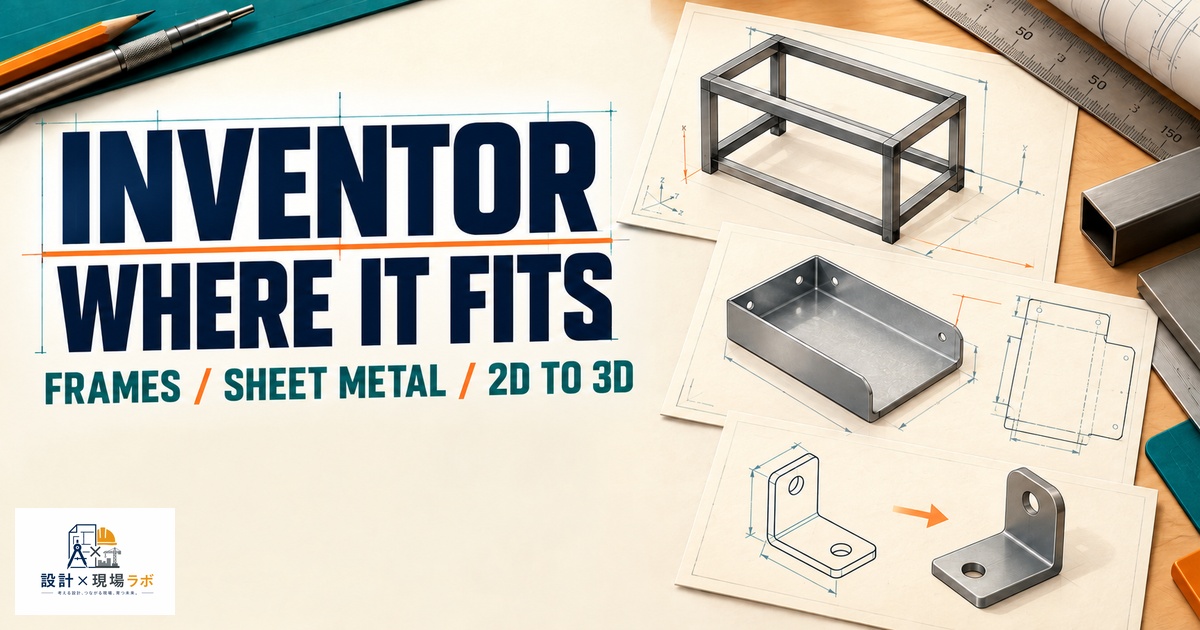
Inventor doesn’t get talked about as much as SolidWorks or NX in the shops I’ve worked in over the past twenty years, but I’ve used it on three separate contracts — once at a conveyor and material-handling integrator, once at a smaller automation cell builder, and once briefly at a company transitioning off AutoCAD 2D that hadn’t fully committed to any 3D platform yet. Each time, the reasons for choosing Inventor were different, and each time I came away with a slightly different opinion of the tool. I think Inventor suffers from being perpetually compared to SolidWorks, when in practice its real competitive position and its real weaknesses are a bit more specific than “the cheaper Autodesk one.” I want to go through what actually worked and what actually didn’t, based on real projects rather than feature checklists.
- Where Inventor Genuinely Shines: Frame and Sheet Metal Work
- Where It Struggles: Large Assembly Performance
- The AutoCAD Connection Is a Real Advantage in Japan
- Simulation and FEA: Capable, But Not a Replacement for Dedicated Tools
- Cost and Licensing Compared to the Competition
- Where Inventor Actually Fits
Where Inventor Genuinely Shines: Frame and Sheet Metal Work
The single area where I’d put Inventor ahead of SolidWorks without much hesitation is structural frame design using its Frame Generator tool. On the material-handling project, we were designing conveyor support structures using standard extruded steel members — square tube, angle, channel — and Frame Generator let me lay out a 3D skeleton sketch and then populate it with real catalog members, complete with automatically generated miter cuts, gusset placement points, and a bill of materials that correctly listed cut lengths per member. I had done similar work in SolidWorks using the Weldments toolbox before, and while SolidWorks’ equivalent has improved over the years, Inventor’s frame member library and its handling of end-treatments (trimming, mitering, extending to a face) felt noticeably more mature and less fiddly to me at the time.
Sheet metal is another area I’d call a genuine strength. On the automation cell project, I was designing a lot of safety guarding and enclosure panels, and Inventor’s flat pattern generation, combined with its punch tool library for standard hole and louver features, matched or exceeded what I was used to in SolidWorks. The unfold accuracy for tighter bend radii on thinner stock was consistent, and I didn’t run into the K-factor headaches I’ve had with some SolidWorks sheet metal templates that weren’t configured correctly by whoever set up the company standard.
Where It Struggles: Large Assembly Performance
This is the weakness that eventually pushed the automation cell builder toward evaluating a switch away from Inventor, and it’s the complaint I’ve heard most consistently from other contract engineers who’ve used it. Inventor’s assembly performance degrades faster than SolidWorks’ does as part counts climb into the low thousands, particularly when a design uses heavy adaptivity (parts that resize themselves based on assembly-context geometry) or a lot of derived-part relationships.
I ran into this directly on a multi-station automation cell assembly that grew to around 2,500 parts across several sub-assemblies. Rebuild times that had been perfectly reasonable at 500 parts stretched out noticeably, and I started seeing occasional geometry recompute errors that required rolling back the model tree and rebuilding feature-by-feature to isolate. Some of that was almost certainly our own modeling discipline — too much adaptivity chained across sub-assemblies is asking for trouble in any CAD system — but Inventor’s tolerance for that kind of looseness felt lower than SolidWorks’, and much lower than NX’s, which I’d used on a larger project the year before. If your work involves consistently large, complex assemblies, I would flag this as a real risk before committing to Inventor as a platform.
The AutoCAD Connection Is a Real Advantage in Japan
A point that doesn’t come up enough in CAD comparisons written for a general audience: a huge number of manufacturing companies here still run AutoCAD for 2D detail work, legacy drawings, or facility layouts, sometimes alongside whatever 3D tool their design department uses. Inventor’s tight interoperability with AutoCAD — shared DWG format, similar command structure, and Autodesk’s shared licensing ecosystem — made onboarding at the transitioning company far smoother than it would have been with a non-Autodesk tool.
When that company brought me in specifically to help move a legacy 2D catalog of standard parts into 3D models, I could open decades-old AutoCAD drawings directly inside Inventor’s sketch environment, trace over accurate legacy geometry, and build parametric solids without an intermediate export-import step that risked geometry corruption. I’ve had to do the equivalent translation into SolidWorks on other projects, and while DWG import works fine there too, there’s a comfort and familiarity factor for teams whose drafters have spent fifteen years inside AutoCAD’s interface that shouldn’t be underestimated. Change management on the shop floor is often more about interface muscle memory than raw capability, and Inventor’s kinship with AutoCAD lowers that particular barrier meaningfully.
Simulation and FEA: Capable, But Not a Replacement for Dedicated Tools
Inventor includes built-in stress analysis and dynamic simulation tools, and I used the stress analysis module on a bracket redesign where a client wanted a quick go/no-go check under a static load case before we committed to a prototype. For that kind of straightforward linear-static check on a single part or simple assembly, it did the job — mesh generation was reasonably automatic, and the results correlated closely enough with a hand-calculation I ran in parallel that I trusted the direction of the answer.
Where I wouldn’t lean on it is anything involving nonlinear material behavior, complex contact conditions, or fatigue life prediction across a large assembly. I’ve since used dedicated FEA packages (ANSYS in one case, NX Nastran in another) for that kind of work, and the difference in solver robustness and result confidence is substantial. My rule of thumb after using Inventor’s built-in simulation a handful of times: fine for early-stage sanity checks and design comparisons between a few concept variants, not something I’d put my name on for a final structural sign-off on anything safety-critical.
I also ran the dynamic simulation module once on a cam-follower mechanism to check for interference and rough force estimates through a full cycle, and it worked well enough for that narrow purpose. But when the client later asked for fatigue life numbers on the follower arm, I had to export the load history and run it through a separate fatigue tool anyway, which reinforced my sense that Inventor’s simulation suite is best treated as a first-pass filter rather than a complete analysis pipeline.
Cost and Licensing Compared to the Competition
Inventor’s pricing sits in an interesting middle position. As part of the Autodesk Product Design & Manufacturing Collection, a company gets Inventor bundled with AutoCAD, Fusion, Vault (Autodesk’s PDM tool), and a few other utilities for a subscription price that, in my experience advising smaller clients on cost, often lands lower per seat than an equivalent SolidWorks Professional bundle, and considerably lower than anything involving NX or CATIA.
That bundling is a real selling point for a smaller shop that wants 2D drafting, 3D modeling, and a lightweight PDM system without buying three separate vendor relationships. The tradeoff, which I’ve seen catch smaller companies off guard, is that Autodesk’s subscription-only licensing model means there’s no perpetual license fallback if the company ever wants to pause payments during a slow year — the software simply stops opening files past the license expiration, whereas some competitors still offer maintenance-lapse grace periods on perpetual seats.
| Consideration | Inventor | SolidWorks |
|---|---|---|
| Frame/structural design | Strong (Frame Generator) | Good (Weldments) |
| Sheet metal | Strong | Strong |
| Large assembly ceiling | Lower, more sensitive to adaptivity | Higher |
| AutoCAD interoperability | Excellent | Good |
| Built-in FEA | Adequate for early checks | Comparable (SW Simulation) |
| Licensing model | Subscription only | Perpetual + subscription options |
Where Inventor Actually Fits
After three contracts with it, my honest take is that Inventor is a strong choice for companies whose work centers on structural frames, sheet metal enclosures, and machine bases, particularly if they already have an AutoCAD-heavy drafting culture and want a gentler transition into 3D parametric modeling. It’s a weaker choice for teams anticipating assemblies in the multiple-thousands-of-parts range, or teams that need serious in-house FEA capability without immediately buying a separate simulation package. I wouldn’t tell a company to switch to Inventor purely on cost — the Autodesk collection bundle is attractive, but the assembly performance ceiling is a real engineering constraint, not a minor inconvenience, and it should factor into the decision as heavily as price does. For the specific niche of structural and sheet-metal-heavy mechanical design integrated with an existing AutoCAD workflow, though, I haven’t found a better fit among the tools I’ve used.


コメント