
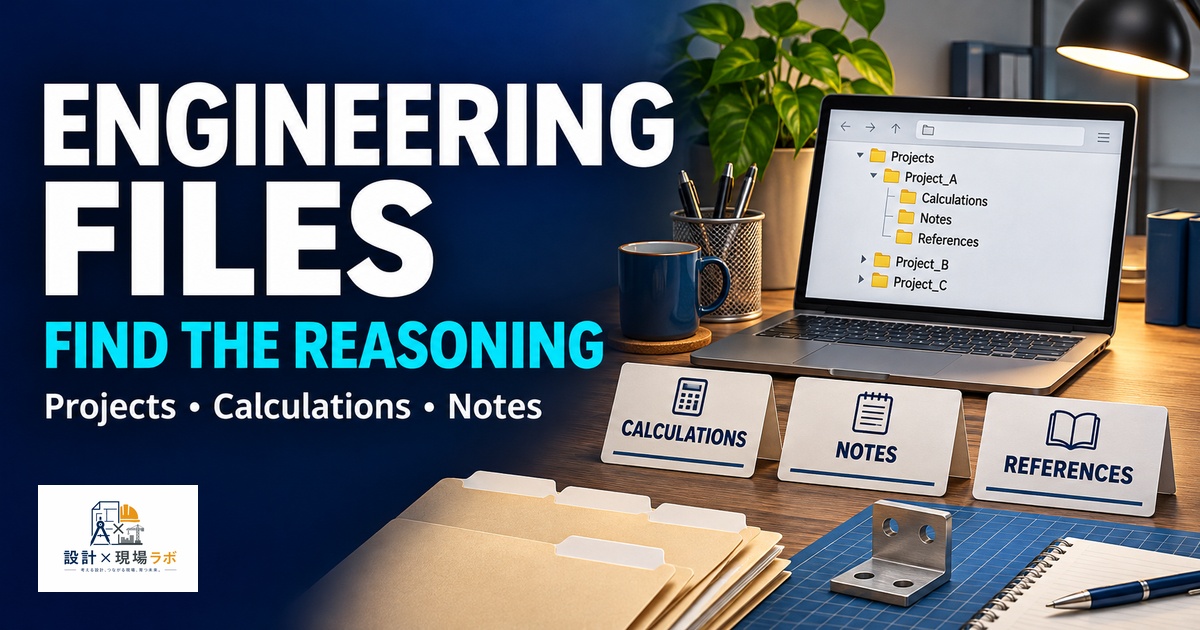
CAD data management gets plenty of attention in engineering discussions, and most companies have some kind of PLM or PDM system enforcing structure on drawings and models. What almost nobody talks about is everything else a design engineer accumulates around that formal system — personal calculation sheets, meeting notes, half-finished analyses, vendor quotes, screenshots of a colleague’s whiteboard sketch, PDFs that will never officially enter the company system but that you absolutely need again in six months. After twenty years moving between manufacturers as a contract engineer, I have learned that this informal layer of files is where most personal productivity actually lives, and most engineers, myself included in my early years, treat it with far less discipline than they apply to their official CAD data.
- Why the Official System Is Never Enough
- A Folder Structure Organized Around Projects, Not File Types
- Calculation Sheets Deserve Their Own Discipline
- Handling the Flood of Vendor Communication and Quotes
- Meeting Notes That Actually Get Reopened
- Personal Files That Cross Project Boundaries
- Backing Up What Nobody Else Is Responsible For
Why the Official System Is Never Enough
Every company I have worked at has had a formal system for drawings and models, and every one of those systems has had gaps that I ended up filling with my own personal organization. A PDM system is excellent at version-controlling a released drawing, but it has no place for the spreadsheet where I worked out a stress calculation before committing to a wall thickness, or the annotated screenshot from a design review where someone sketched an alternative bracket shape on a whiteboard that never made it into any official document.
Early in my career I assumed that if it was not in the official system, it did not matter, and I let this supporting material scatter across desktop folders, email attachments, and USB drives with no consistent naming. The cost showed up months later, when I needed to recall the reasoning behind a calculation and could not find the spreadsheet that produced it, even though the final number was sitting safely in an approved drawing. The official system protects the output of your thinking. It does nothing to protect the thinking itself, and that is exactly the material a personal file system needs to cover.
A Folder Structure Organized Around Projects, Not File Types
My first attempt at personal organization mirrored the mistake I later also made with my reference library: sorting by file type, with one folder for spreadsheets, one for PDFs, one for images. It felt logical, but in practice I never remembered which folder held the vendor quote for a specific bracket, because the file type was not how I thought about the problem when I needed to find it again.
The structure that has held up for years now is organized by project first, and by document type only as a subfolder within that. Every project gets a top-level folder with a short, consistent naming convention, and inside it, subfolders for calculations, correspondence, vendor material, and personal notes. When I need to find something, I almost always remember which project it belonged to before I remember what kind of file it was, so starting from the project name gets me there in seconds. On an assignment where I was juggling three concurrent projects for the same client, this structure was the only reason I did not confuse vendor quotes between them, since each project’s vendor folder only ever contained quotes relevant to that specific effort.
Calculation Sheets Deserve Their Own Discipline
Engineering calculations are some of the highest-value personal files an engineer produces, and they are also the ones most likely to be treated casually, saved with names like “calc2_final_v3” that mean nothing six months later. I have lost track of good calculation work more times than I want to admit because I did not treat the file itself with the same rigor I applied to the math inside it.
What fixed this was adopting a simple naming convention with the date, the subject, and a short description directly in the filename — something like a date stamp followed by “bracket_stress_cantilever_40kg” rather than a version number that only makes sense in the context of a folder I might not even be looking at. I also started adding a short header inside every calculation file stating the assumptions and the source of any input values, because a calculation without its assumptions visible is nearly useless when reopened cold. On one occasion I reopened a spring rate calculation from a previous project specifically because the filename made it instantly identifiable among dozens of similar files, and the header inside told me immediately which load case it applied to, saving me from misapplying an old result to a new and subtly different problem.
Handling the Flood of Vendor Communication and Quotes
Vendor correspondence is a category of file that most engineers let live entirely in email, which works fine until you change jobs, lose access to that inbox, or simply cannot search it effectively months later when a similar sourcing question comes up. I made this mistake for years, treating email as my filing system by default, and paid for it every time I needed a quote or spec sheet from a vendor conversation that had happened at a company I no longer worked for.
I now pull anything from vendor correspondence that has lasting value — quotes, datasheets, capability statements, lead time commitments — out of email and into the project folder structure as soon as it arrives, rather than leaving it to live only in the inbox. This takes a couple of minutes per email and feels unnecessary in the moment, but it means that a vendor relationship built during one contract is not lost the day I move to the next one. On a later project, needing a machining vendor for a similar low-volume aluminum part, I was able to pull up a quote and lead time from three years earlier, from a completely different employer, because I had saved it into my own personal archive rather than letting it disappear with that email account.
Meeting Notes That Actually Get Reopened
Most engineers take meeting notes and never look at them again, which raises the honest question of why bother taking them at all. I used to write notes in a single running notebook, chronologically, which was fine for jogging my memory about what happened in a meeting but useless for finding anything specific, since the only way to locate a decision was to remember roughly when it was made.
I switched to keeping meeting notes as individual files tied to the relevant project folder, tagged with the date and a short subject line, rather than one continuous log. This means a decision made in a design review three months ago is filed exactly where I would look for it later — inside that project’s folder, findable by searching the project name and the topic rather than by trying to recall a date. During a dispute over a requirement change, being able to pull up the exact notes from the meeting where the change was first discussed, filed under that project rather than buried on some page of a general notebook, settled the disagreement in minutes instead of turning into a memory contest between two people with different recollections.
Personal Files That Cross Project Boundaries
Not everything worth saving belongs to a single project. Over the years I have built up general-purpose files — a cheat sheet of unit conversions I always forget, a personal checklist for design reviews, notes on common mistakes I have made and want to avoid repeating. These do not fit neatly into a project-based structure, and forcing them into one project folder just because that is where I happened to create them means they effectively disappear.
I keep a separate top-level folder outside the project structure specifically for this cross-cutting material, and I am disciplined about moving anything project-specific out of it as soon as I notice it drifting there. This folder is small compared to my project archives, but it gets opened constantly, almost daily, because it holds the reference material I use across every assignment regardless of client or product. Keeping it separate from project folders means I am not hunting through unrelated project history every time I just need my own personal design review checklist.
Backing Up What Nobody Else Is Responsible For
The official CAD and drawing systems at every company I have worked for have had proper backups, because the company has a direct interest in protecting that data. My personal layer of files has never had that protection from anyone but me, and I learned this the hard way when a laptop failure early in my career wiped out several months of personal notes and calculation sheets that existed nowhere else.
Since then, I keep my personal file structure synced to a cloud storage account that is entirely separate from any employer’s systems, updated automatically rather than relying on me to remember to back things up manually. This has nothing to do with taking confidential company data anywhere it should not go — the content is my own notes, calculations, and reasoning, not client drawings or proprietary specifications. It is simply an acknowledgment that as a contract engineer moving between companies, I am the only continuous owner of my own working history, and no employer’s IT department is ever going to take responsibility for protecting the personal system that makes me effective on their project.


コメント