I lost a full week of surfacing work exactly once in my career, early on, when a laptop drive failed overnight during a contract assignment and I discovered the client’s IT department had no backup policy covering local project folders on contractor machines. Nobody was going to make that mistake for me twice, so I built my own backup discipline that has followed me through every subsequent engagement across CATIA, NX, and SolidWorks environments, at large OEMs and small suppliers alike. What surprised me over twenty years is how inconsistent backup practices remain even at major manufacturers, where I would have assumed enterprise IT had this fully solved. This article covers what has actually worked for me and for the small teams I have supported, not the theoretical best practice from a textbook but the practical habits that survive contact with a real deadline.
- The Uncomfortable Truth About Enterprise IT and Contractor Data
- Local Working Copies vs Authoritative Server Storage
- Cloud Sync Tools and Their CAD-Specific Pitfalls
- Version History and the Value of Not Overwriting
- Building a Habit That Survives Deadline Pressure
- Ransomware and the Case for a True Offline Copy
- What I Actually Recommend to Engineers Starting Out
The Uncomfortable Truth About Enterprise IT and Contractor Data
When you work as an external designer stationed inside a client’s facility, there is a dangerous assumption that someone else is handling backups, and in my experience that assumption is wrong often enough to be a real risk. On one program, I worked for nearly four months before discovering that the “shared drive” our team saved CATIA models to was backed up nightly, but the local scratch folder several of us used for in-progress work that had not yet been checked in was not covered at all. A colleague lost two days of assembly work when his machine’s local disk failed, and the backup he assumed existed simply did not.
Since that discovery, my first action on any new engagement, before I even open the CAD software, is to ask IT directly what is and is not backed up, in writing if possible, and to never assume a shared network location is protected just because it looks official. I have been told “yes, everything is backed up” verbally on more than one project only to later find out that statement meant something much narrower than I had assumed.
Local Working Copies vs Authoritative Server Storage
A pattern I have settled into across every platform is treating my local machine as disposable and the server or PLM vault as the only place that truly counts. On NX and Teamcenter projects, this is largely enforced by the system itself, since checking a part back in is how work becomes officially safe, but I have watched engineers keep parts checked out for days at a time while iterating locally, effectively storing their only copy of active work on a laptop hard drive with no redundancy.
I now check work in far more frequently than strictly necessary for workflow purposes, sometimes multiple times within a single day even on an unfinished feature, purely because a checked-in revision is a backed-up revision and an in-progress local file is not. On SolidWorks projects without PDM, where this safety net does not exist automatically, I have developed the habit of manually copying my working folder to a separate backed-up location at the end of every session, treating my local drive the same way I would treat a temporary cache that could disappear without warning.
Cloud Sync Tools and Their CAD-Specific Pitfalls
Consumer cloud sync tools like Google Drive or OneDrive seem like an obvious backup solution, and I use them personally for a great deal of non-CAD work, but I have learned to be genuinely cautious applying them directly to active CAD files, especially assemblies with external references. On a personal side project using SolidWorks with a folder synced through a consumer cloud service, I ran into file locking conflicts where the sync client tried to upload a part file while SolidWorks still had it open, resulting in a corrupted local copy that the cloud service then dutifully propagated to my other synced devices before I noticed anything was wrong.
The core issue is that these sync tools were built for documents, not for the reference-heavy, multi-file structure of a CAD assembly, where a part file and its parent assembly need to stay consistent with each other at all times. My current practice is to keep active working files entirely outside any real-time sync folder, and instead perform a deliberate, manual backup copy at defined intervals, so that a sync tool never has the opportunity to touch a file mid-save or mid-edit.
Version History and the Value of Not Overwriting
One habit that has saved me more than raw backup redundancy ever has is simply not overwriting old versions. On a project years ago, I discovered a geometry error that had been introduced eleven revisions earlier, and because our team’s convention was to save incrementally with a version number rather than overwriting a single file, I was able to open that specific historical revision directly and pinpoint exactly where the mistake had entered the model, rather than trying to reverse-engineer the error from the current state alone.
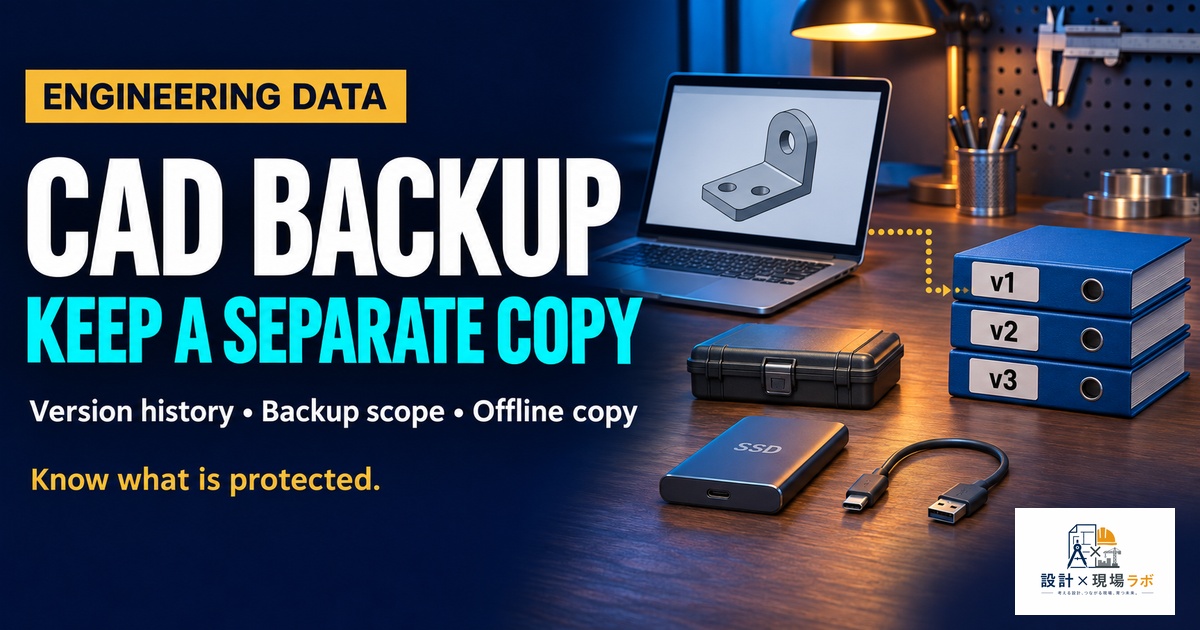
I now apply that same discipline personally, even on projects where the platform’s PDM system already maintains revision history automatically, because I have seen PDM revision limits get configured more conservatively than people expect, with older revisions purged after a set retention period. Keeping my own periodic snapshots outside that system, especially at major milestones like a design freeze or a customer submission, has given me a safety net that has paid off more than once when a formal revision history alone was not enough.
| Backup layer | What it protects against | How often I do it |
|---|---|---|
| PLM check-in (Teamcenter/ENOVIA) | Local machine failure | Multiple times per active session |
| Manual folder copy (no PDM) | Local machine failure | End of every work session |
| External drive or NAS snapshot | Corruption, ransomware, sync errors | Weekly, or before major milestones |
| Off-site cloud archive (not live sync) | Site-level disaster, single point of failure | Monthly, for completed project archives |
Building a Habit That Survives Deadline Pressure
The honest truth about backup discipline is that it is the first thing anyone abandons under schedule pressure, and I include myself in that tendency when I am not deliberate about it. I have found that the only backup habits that actually survive a genuinely tight deadline are the ones that require almost no thought or extra time, which is why I favor frequent small check-ins over elaborate periodic backup procedures that are easy to skip when a deadline is close.
On a small supplier team I supported without any formal PDM system, we set an actual recurring calendar reminder, unglamorous as that sounds, for every Friday afternoon to copy the week’s working files to an external drive kept off-site. It felt almost too simple to matter, but eighteen months into that engagement, when a workstation’s drive failed on a Thursday, the team lost less than a day of work rather than potentially months of accumulated design history, purely because the habit had been made automatic rather than something anyone had to remember to prioritize under pressure.
Ransomware and the Case for a True Offline Copy
I did not take this threat seriously enough until a client site I worked at was hit by a ransomware incident that encrypted files across several network drives, including, worryingly, a drive that had been treated as the team’s backup location. The files were technically backed up in the sense that they existed in a second location, but that second location was live-connected to the same network and got encrypted right alongside the primary copies.
That incident permanently changed how I think about the word “backup.” A copy that is always online and always writable from the same network is not meaningfully different from the original in a ransomware scenario. Since then, for any project I consider significant enough to warrant real protection, I maintain at least one copy that is genuinely disconnected, either an external drive that gets physically unplugged after the backup completes or a cloud archive tier that is not treated as a live working folder. It is a small extra step, but it is the difference between losing a day of work and losing everything a team has built over months.
What I Actually Recommend to Engineers Starting Out
If I were advising a younger version of myself, or any engineer just starting to take backup discipline seriously, I would keep the advice simple rather than exhaustive. Confirm explicitly what your organization’s IT actually backs up, and never assume. Treat your local machine as disposable and check work into whatever authoritative system exists as often as is reasonable. Avoid consumer sync tools for active CAD files with cross-references, and keep at least one backup copy genuinely disconnected from the network. None of this is sophisticated, and none of it requires special tools beyond an external drive and a recurring reminder, but every part of it was earned through a specific failure I would strongly prefer nobody else has to repeat firsthand.


コメント