
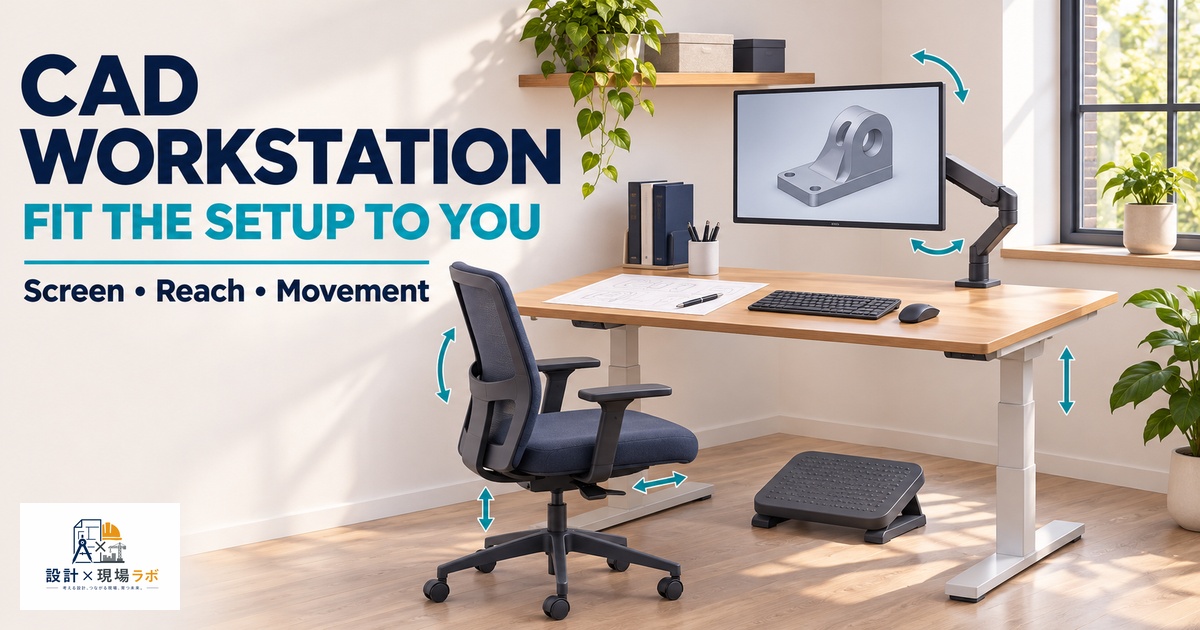
Twenty years of sitting in front of a monitor rotating 3D models will teach you things that no company safety briefing ever covers. I have worked at four different manufacturers as a contract mechanical designer, and every single site has had a different chair, a different desk height, and a different opinion about what “ergonomic” even means. What I have learned is that CAD work is not like typing an email or reading a spec sheet. You hold awkward neck and wrist positions for hours while your eyes track tiny geometry changes on screen, and the damage builds up slowly enough that you do not notice it until your shoulder locks up during a Friday deadline crunch. This article is the workstation setup I wish someone had handed me on day one of my career, built from a decade of small experiments and a couple of genuinely painful mistakes.
- The Chair Is Not Where You Should Start
- Monitor Height, Distance, and the Multi-Screen Trap
- Mouse, Keyboard, and the Repetitive Strain Nobody Warns You About
- Lighting and the Glare You Stop Noticing
- The 50-Minute Rule and Other Pacing Habits
- Desk Layout for Switching Between CAD, Email, and Paper Drawings
- Temporary Desks: Ergonomics When You’re a Contractor Moving Sites Every Few Months
- What I Wish I’d Fixed Ten Years Earlier
The Chair Is Not Where You Should Start
Every ergonomics guide starts with the chair, and I used to believe that too. Early in my career I spent almost half a month’s discretionary budget on a high-end mesh chair, convinced it would fix the lower back pain I was getting after long modeling sessions. It helped a little, but the pain came back within two weeks because the real problem was not the chair. It was that my desk was fixed height and about four centimeters too high for me, so I was subconsciously raising my seat to reach the keyboard comfortably, which threw my hips out of the correct position relative to my knees no matter how good the chair was.
The fix that actually worked was cheap: a footrest and a proper check of the 90-90-90 rule — hips, knees, and elbows all near ninety degrees when seated with feet flat. On a project where I was stationed at a facility with fixed-height benches shared across three shifts, I kept a folded rubber floor mat under my desk specifically to use as an improvised footrest riser. It looked ridiculous, but it solved the problem in a way the expensive chair never did on its own. Get the desk-to-elbow relationship right first, then worry about chair lumbar support.
Monitor Height, Distance, and the Multi-Screen Trap
CAD work practically demands two monitors — one for the model, one for the drawing or BOM — and that setup creates its own hazard if you are not careful. I once ran into a case where I had my primary CAD monitor centered and a secondary monitor for email and PLM software off to the right at a slightly lower height. After about three months I developed a persistent ache on the right side of my neck that I could not explain, until a physical therapist pointed out that I was rotating my head to the right dozens of times an hour, every single day, to check that secondary screen.
The fix was to treat the monitor I used most — which for a designer is almost always the CAD viewport — as the true center of the workstation, not the center of the desk. I now set my primary monitor dead ahead with the top of the screen at eye level, and any secondary monitor angled inward so my eyes travel there without much neck rotation. Distance matters too: I keep the main screen about an arm’s length away, roughly 60 to 70 centimeters, and I bump the CAD software’s UI scaling up rather than leaning forward to read fine dimension text. Leaning forward six inches, repeated a thousand times a day, adds up to real strain that no amount of stretching in the evening will undo.
Mouse, Keyboard, and the Repetitive Strain Nobody Warns You About
Nobody warns new CAD engineers that the mouse hand takes far more punishment than the keyboard hand. Rotating, panning, and zooming a 3D model for eight hours a day is a repetitive motion that most office ergonomics advice never addresses because it is written for typists, not modelers. I developed a mild case of tendonitis in my right wrist around year six of my career, from years of scroll-wheel zooming combined with a mouse that sat slightly too far from my body, forcing my forearm to hover rather than rest.
What changed things was switching to a mouse with a shape that actually supported a neutral wrist angle, and more importantly, relearning my zoom habits. I now use keyboard shortcuts and view-cube clicks for large jumps in scale instead of grinding the scroll wheel, and I keep a small gel wrist pad in my bag that travels with me between client sites. On one assignment, the desk was a shared drafting table with almost no room for a mouse pad, so I brought my own compact mouse and a slim pad just to keep my hand from working at an angle. It is a small thing to carry, but it is the single item I would not go without, because wrist injuries in this trade end careers quietly and slowly.
Lighting and the Glare You Stop Noticing
Glare is a strange hazard because your eyes adapt to it and you genuinely stop noticing it, even while it is giving you headaches. I spent almost a year at one facility with my desk facing a window, and I told myself I liked the natural light. What was actually happening was that I was unconsciously squinting and tensing my facial muscles for hours every day to compensate for the glare washing out my screen, and I was getting tension headaches by mid-afternoon that I blamed on dehydration.
Once I rotated my monitor 90 degrees so the window light came from the side rather than from behind the screen, the headaches mostly disappeared within a week. I now check window and overhead light position as one of the first things I do at any new desk, before I even open a CAD file. If I cannot move the desk, I ask about a monitor hood or simply angle the screen down slightly to redirect the reflection away from my eye line. It costs nothing and takes five minutes, but almost nobody does it because glare feels like a minor annoyance rather than the real driver of end-of-day fatigue that it actually is.
The 50-Minute Rule and Other Pacing Habits
The best ergonomic equipment in the world cannot fix the underlying problem of sitting still and staring at one focal distance for hours without a break. I used to power through modeling sessions in two- or three-hour blocks because I felt like breaking concentration would slow down the design. What I found instead, after tracking my own error rate for a few weeks out of curiosity, was that my mistakes — wrong constraints, missed interferences, sloppy dimensioning — clustered heavily in the final twenty minutes of those long unbroken sessions.
I now run on what I call the 50-minute rule: after fifty minutes at the screen, I stand up for at least three minutes, look at something across the room to reset eye focus, and roll my shoulders and wrists through a full range of motion. On a tight deadline this feels counterproductive, but I have tested it against my own output enough times to trust it. It is not about being kind to myself; it is a practical quality-control habit, because a five-minute break costs far less than reworking a drawing that shipped with an error caused by fatigue in hour four.
Desk Layout for Switching Between CAD, Email, and Paper Drawings
A design engineer’s desk is rarely just a CAD station. In a typical day I am switching between the 3D model, a PDF of a supplier datasheet, an email thread about a change request, and often a printed drawing that a machinist marked up by hand. The layout of the desk itself becomes an ergonomic issue when these items are scattered in a way that forces constant twisting and reaching.
The habit I settled on is keeping a dedicated flat zone directly in front of my keyboard, at the same height as the desk, reserved only for whatever paper document is active — a drawing, a checklist, a marked-up print from the shop floor. Everything else, including reference binders and old project folders, lives to the side or below, out of the primary reach zone. On a project where I shared a bench with another contract engineer, we actually argued gently over this zone because he wanted to use it for a second monitor stand, and I had to explain that for me the paper zone mattered more than a third screen. It sounds like a small preference, but repeated twisting toward a side table to check a drawing, hundreds of times a day, is exactly the kind of cumulative strain this whole article is about.
Temporary Desks: Ergonomics When You’re a Contractor Moving Sites Every Few Months
Being a contract engineer means I rarely get to invest in a permanent, fully customized setup the way an in-house designer might. I have worked at sites where I inherited someone else’s chair settings, someone else’s monitor height, and a desk I could not adjust at all. Early on I just adapted to whatever I was given, and I paid for it in stiffness and fatigue that took years to connect back to the workstation itself.
Now I travel with a small ergonomics kit: a compact footrest riser that folds flat, a slim gel wrist pad, and a laptop stand I can clip a second monitor arm to if the site allows it. Within the first hour at any new desk, I spend ten minutes adjusting monitor height with whatever books or risers are available, checking the chair’s lumbar and seat depth settings, and confirming the keyboard tray height. It feels excessive to some colleagues who just sit down and start working, but those ten minutes have saved me from repeating the same six-month recovery process I went through twice earlier in my career.
What I Wish I’d Fixed Ten Years Earlier
If I could go back and tell my younger self one thing, it would be to stop treating workstation setup as something you tolerate rather than something you actively manage. I spent my twenties assuming that discomfort was just part of the job, the same way long hours before a design review deadline were part of the job. It took a genuinely painful stretch of wrist tendonitis and a string of unexplained headaches to teach me that most of these problems have simple, cheap fixes, and that the fixes compound the same way strain injuries compound — quietly, and over years.
The workstation is not a luxury item on a design engineer’s list of concerns. It is the physical interface between you and every drawing, every model, and every design decision you will make over a career. Treat the setup with the same rigor you would apply to a tolerance stack-up, because the cost of getting it wrong shows up just as reliably, just on a much longer timeline.


コメント